Automatically sync properties, reservations and merge (custom) tags with Guesty
Copy the Guesty API key.
- Sign in to your Guesty account.
- In the top navigation bar, click the add-ons icon

- Click Guesty Marketplace.
- Search for Stellar Trust and click Connect.
- At the top right, click Connect.
- In the pop-up, copy the API key.
- Click Done.
#### Connect Stellar with Guesty to import reservations
- In Stellar Trust go to bookings > Connect PMS. Then select Guesty
Enter your Guesty API Key into the API key field and Click on save.
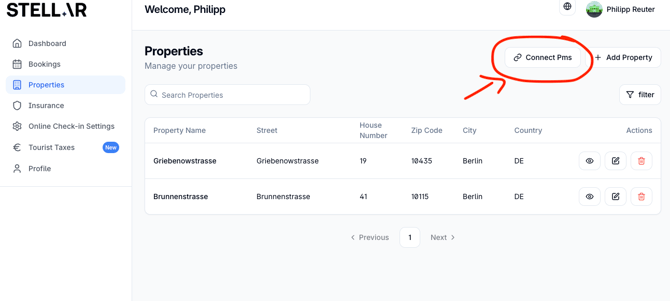
- Enter your Guesty API Key
- Your bookings from Guesty now appear in your Stellar Trust bookings list. Updates and new bookings will automatically be imported, instantly.
To automate sending the Stellar online check in link
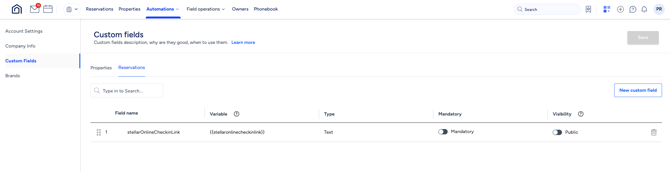
- In your Guesty account, use the custom tag
 in either an existing Guesty message template or a new one, and place it where you want the Stellar online check in link to appear.
 - To set up reminders or emails after a successful check in, use the Yes/No field StellarCheckinCompleted as a condition in your Guesty message templates.
- If you need more details about how messaging works in Guesty, read the [Guesty messaging documentation](https://help.guesty.com/hc/en-gb/articles/9369482431389-Applying-message-conditions-to-automated-messages).